Know what matters before you join
- Automatic briefing 15 minutes before, from your calendar
- What each attendee usually pushes for
- Open commitments and reminders you left yourself
- “Plan your approach”: 3 ways to get what you need
CallCrumb translates your meeting live, remembers what each person said, asked for and promised, suggests what to say, remembers what you promised, preps your next 1:1, sums up the meeting and stays hidden when you share your screen.
Live translation, suggested replies, summaries and a memory for every person, for anyone who works across languages and can't afford to miss a thing. Everything encrypted on your Mac, with the AI on your account. No server of ours ever sees your meetings.
$10/month · macOS 13+ on Apple Silicon · Set up in under 3 minutes
You get almost everything. It's the “almost” that hurts: the deadline detail, the objection that flew by, what you yourself promised at the end of the call.
“He spoke fast and I was too embarrassed to ask him to repeat it.”
Half your brain translates while the other half tries to come up with an answer.
“What did I agree with Sarah last week again?”
Six meetings a day and no memory of who asked for what.
“The client won't allow note-taking bots in the call.”
Notetakers send a bot into your meeting and keep everything on their servers.
CallCrumb is a Mac app that translates your meetings live, helps you answer during the call, sums everything up at the end and remembers what each person said so you're ready for the next conversation.
It never joins the meeting and never sends anything to servers of ours: speech comes from the Meet captions in your Chrome, or from your Mac's audio in Zoom and Teams, and it's stored encrypted on your computer.
Show up prepared, run the conversation without freezing and leave with everything written down.
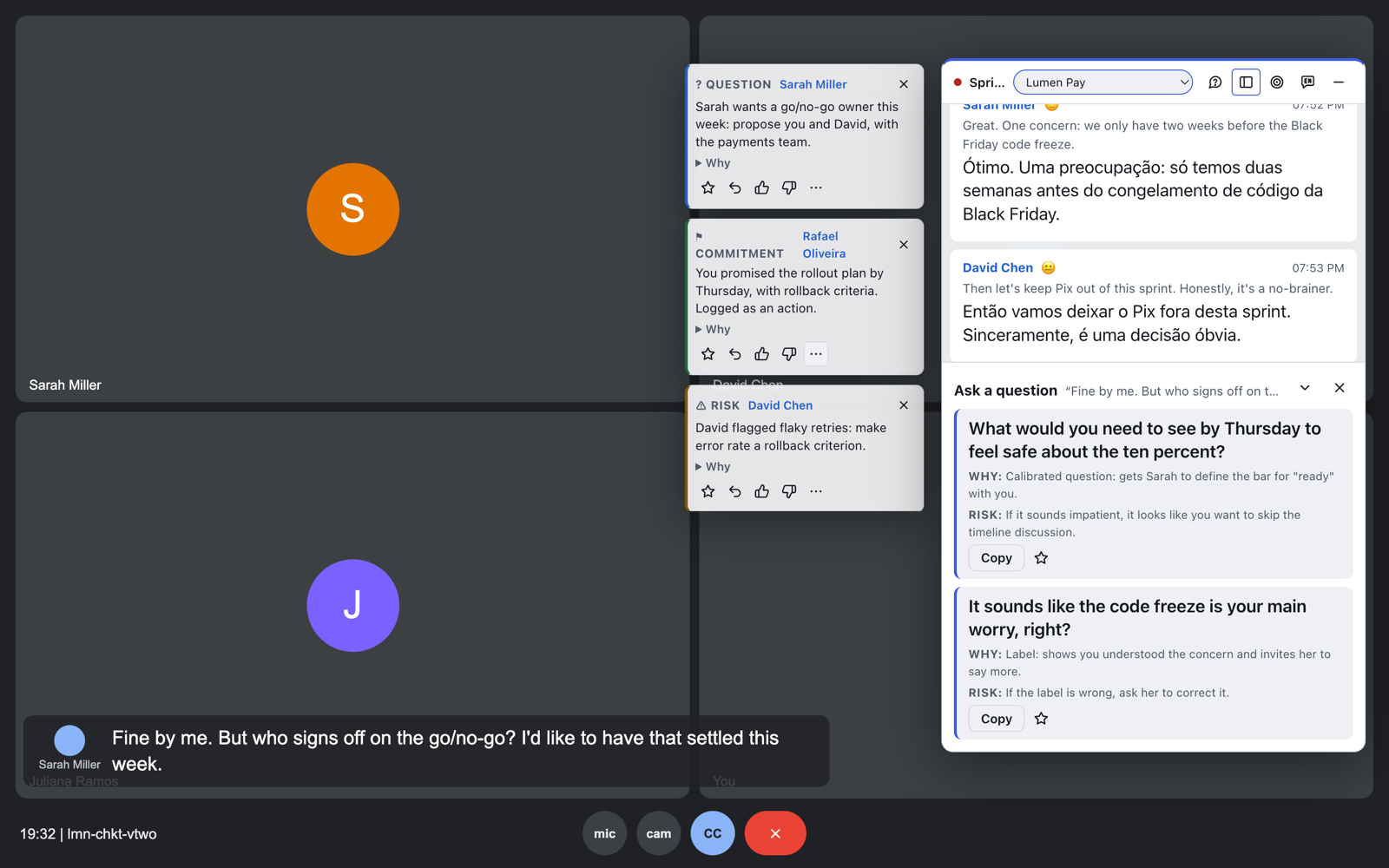
Real screens from the app. Names and meetings are demo data.
CallCrumb translates the meeting while people speak. Each finished sentence is translated once and stays put on screen; only the sentence in progress shows in italics until it settles.
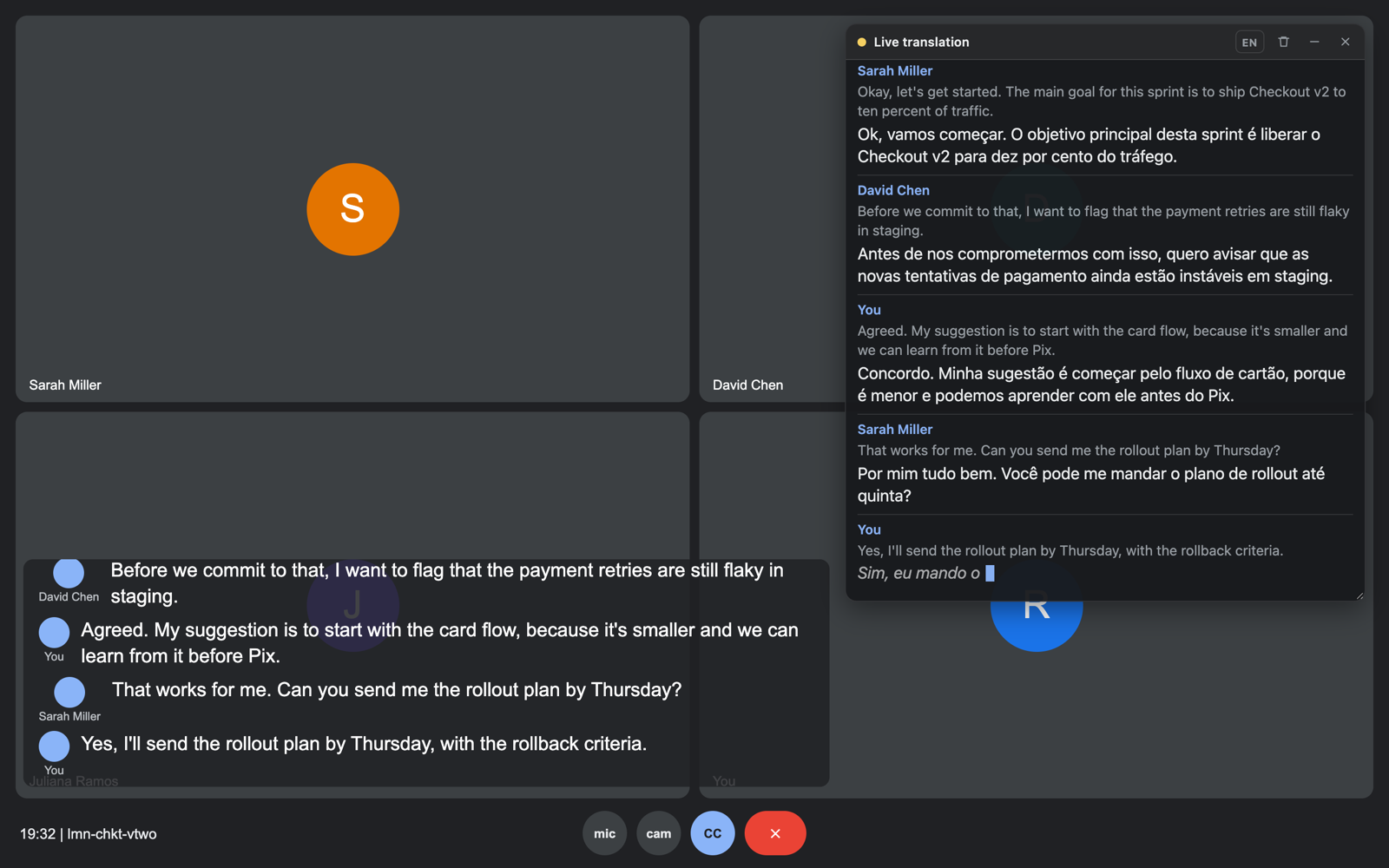
The CallCrumb window sits on top of Meet, Zoom or Teams, even in full screen, and is left out of the capture when you share your screen. You see the translation and the suggestions; the rest of the call doesn't.
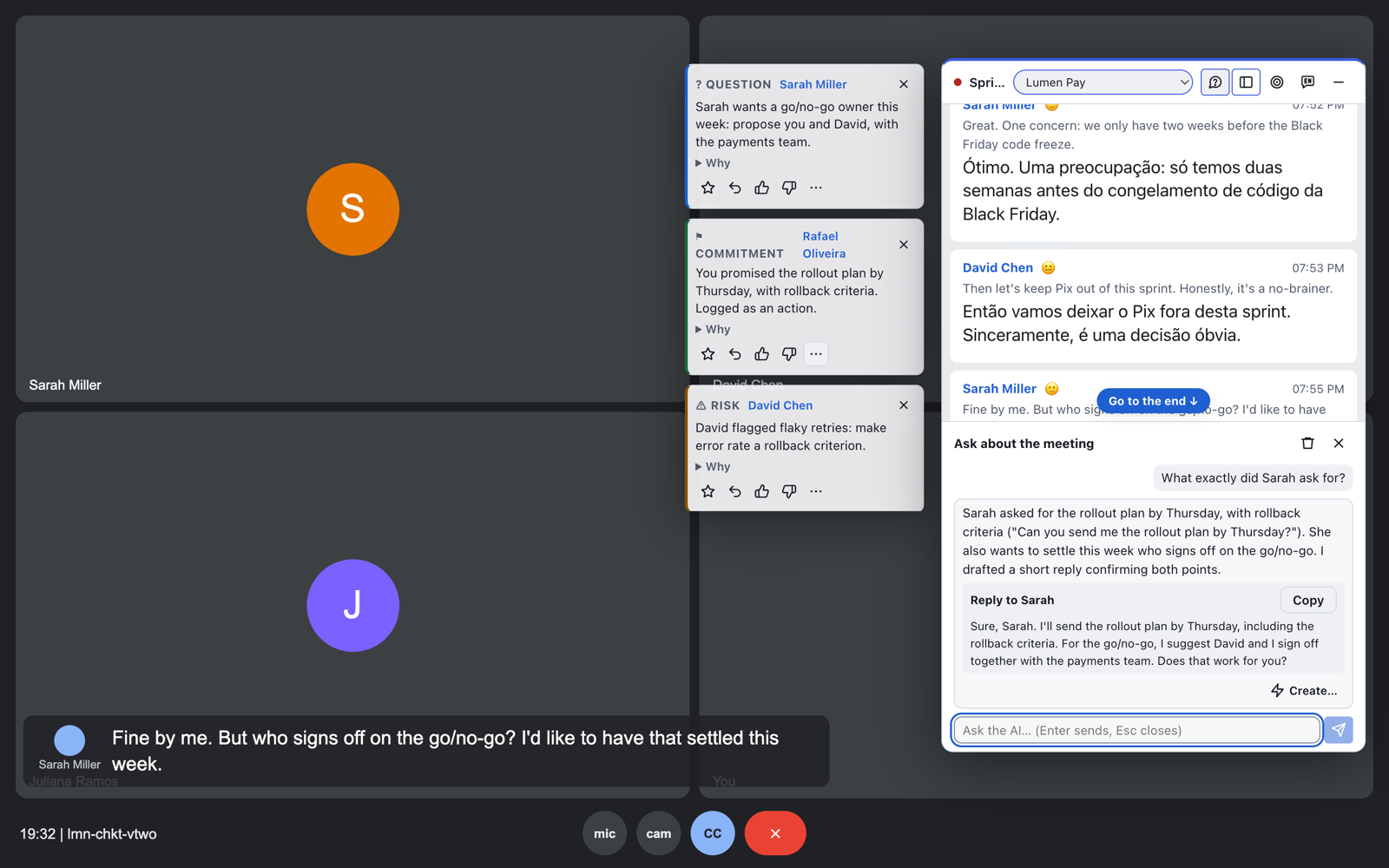
On any line, one click gives you 2 or 3 short replies, ready to say, each with the why and the risk. And you can ask anything about the meeting without leaving it.
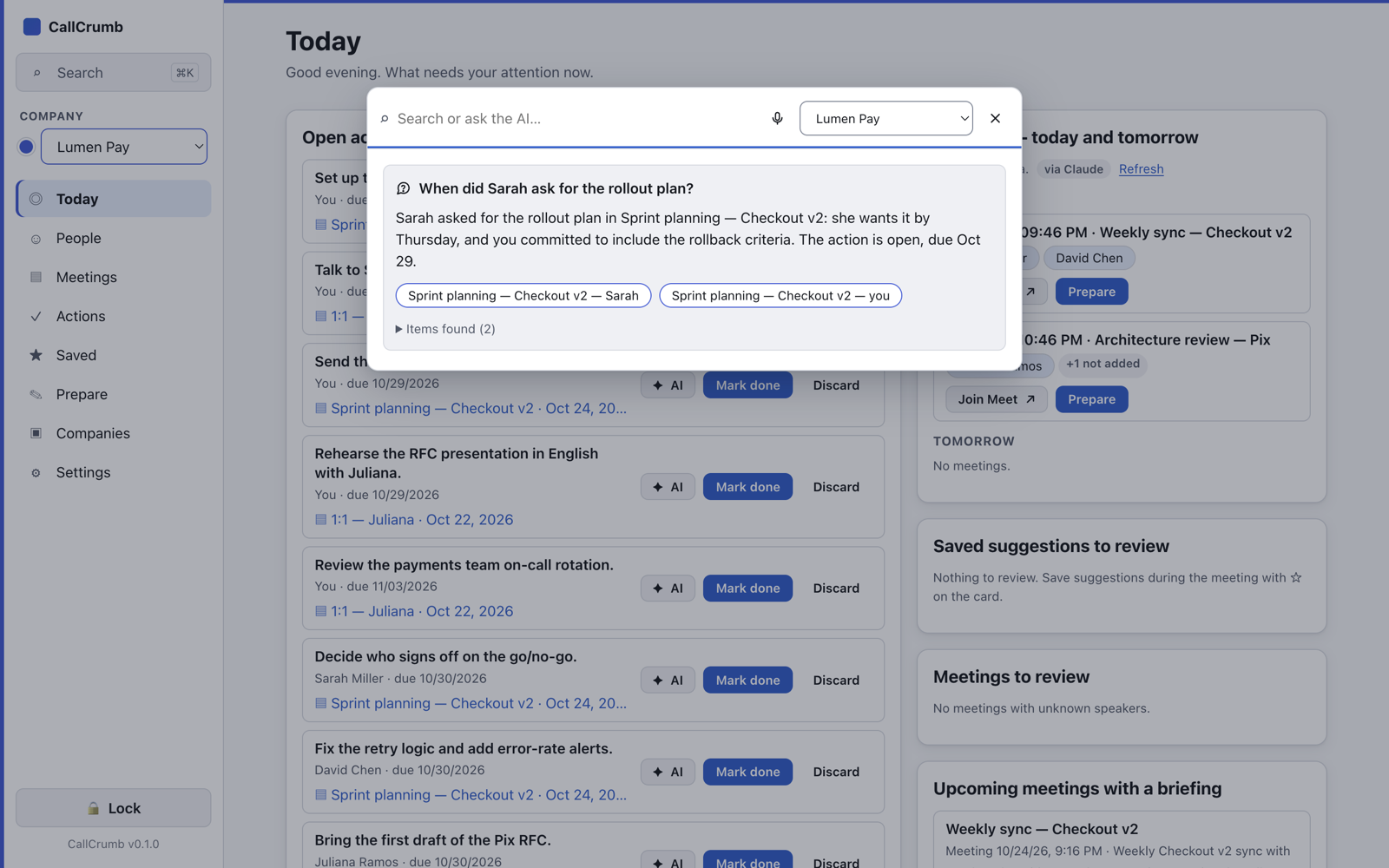
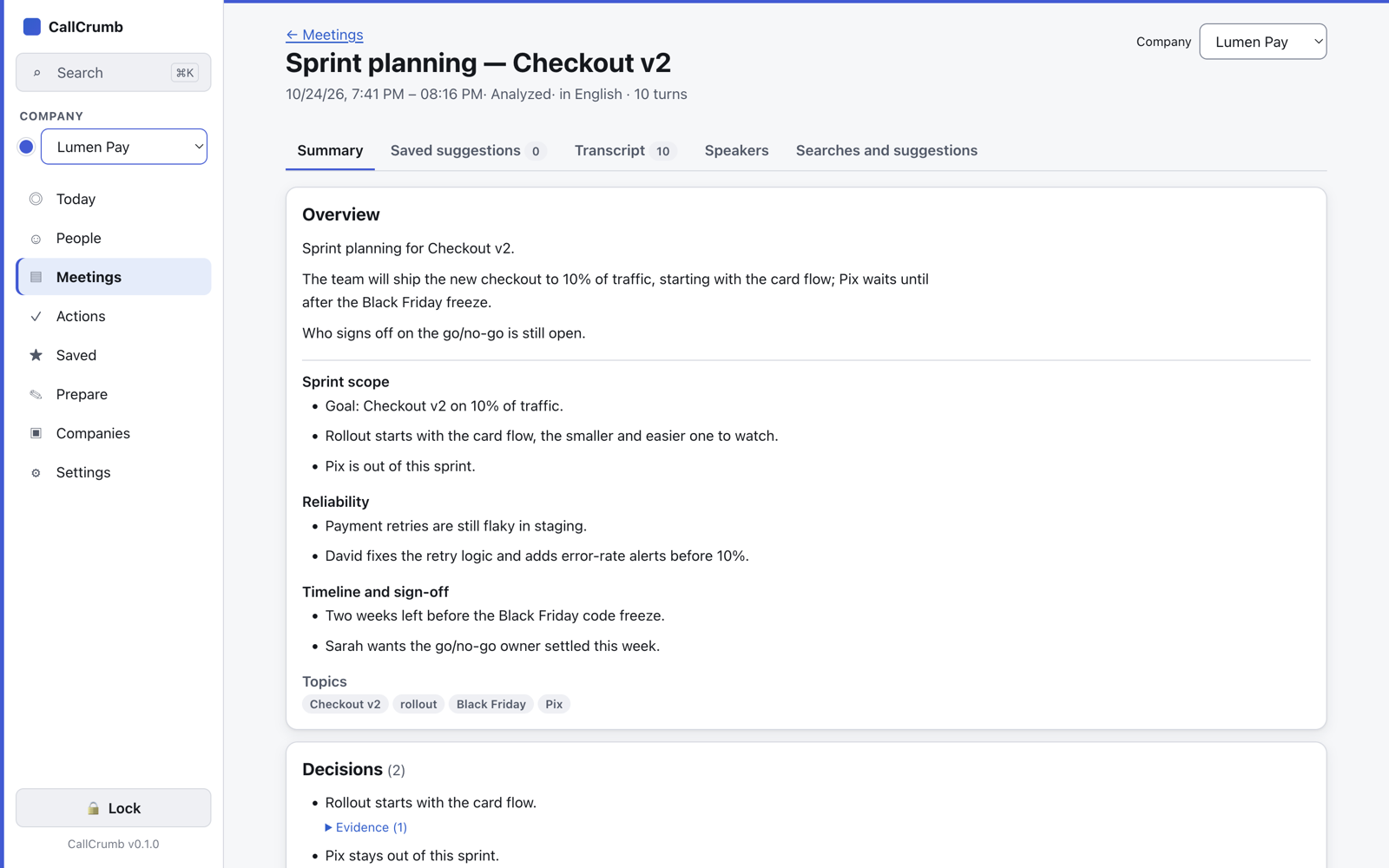
Leave the meeting and the summary is already there. Every decision and action comes with the exact quote, so you can trust what you read.
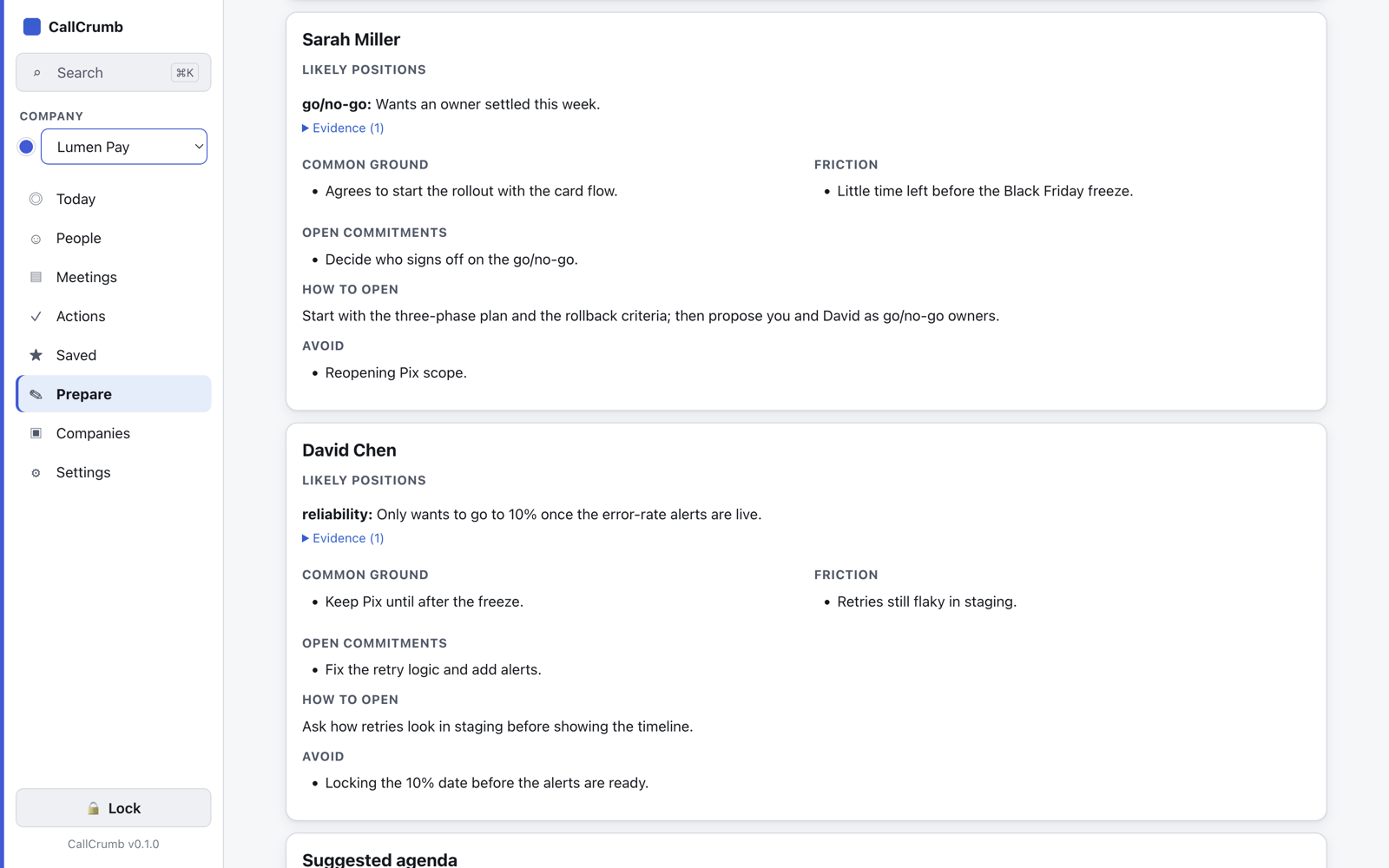
With your calendar connected, CallCrumb prepares the briefing 15 minutes before the call: who will be there, what each one tends to raise, what's still open and how to open the conversation.
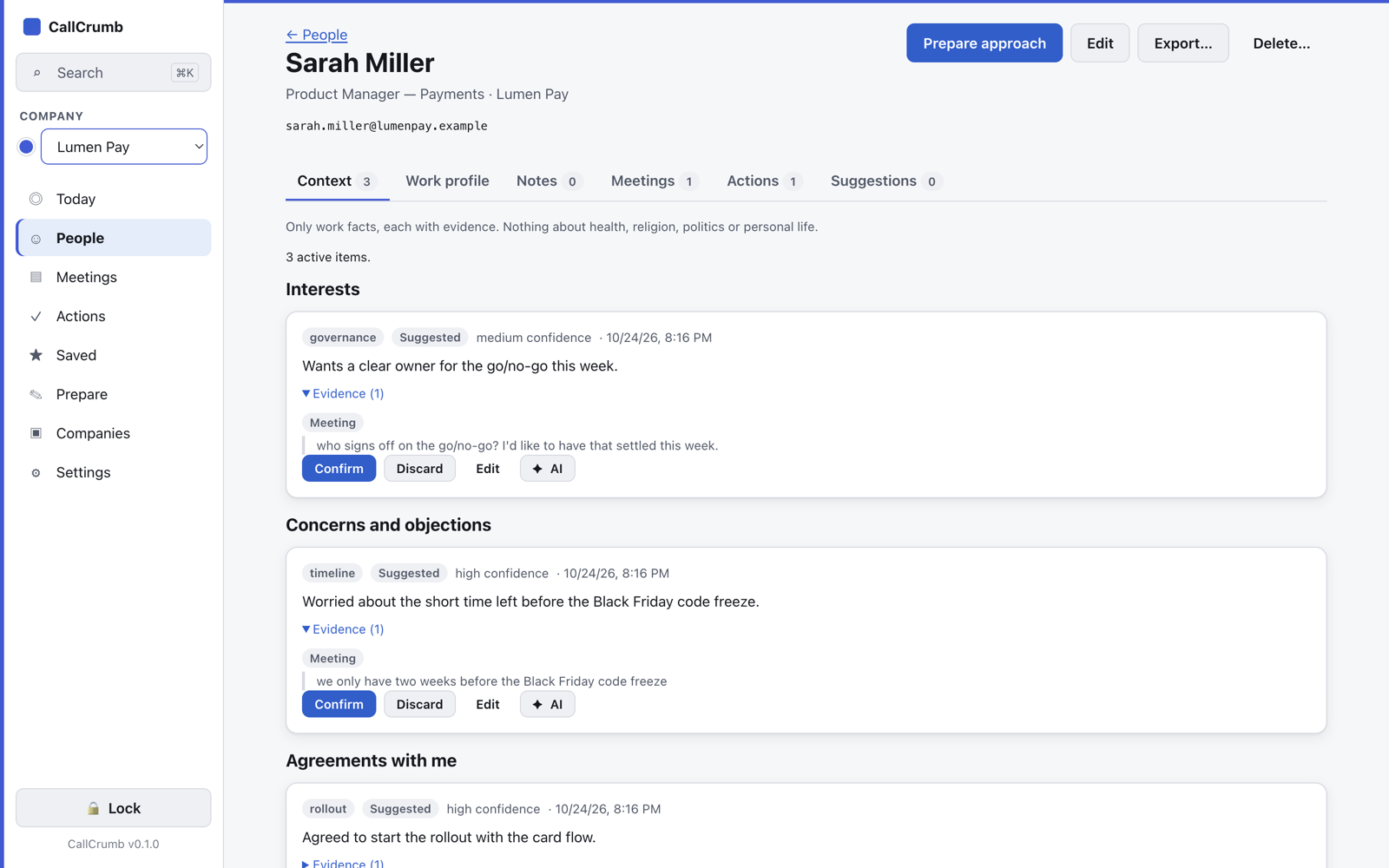
After every meeting, CallCrumb notes what each person pushed for, asked for, promised and worries about. On your next conversation you already know, with the exact quote each piece came from. And it all stays encrypted on your Mac.
What you know about people is the most sensitive information at work. That’s why it never goes to a server of ours.
Every item carries the quote, the meeting, the date and a confidence level. Claims without evidence don’t get in.
Nothing becomes “true” on its own: you confirm, edit or discard each item. You can also add what you noticed outside the meeting.
The AI is forbidden from inferring or recording health, religion, politics, sexuality, ethnicity, age, family, finances or private life, even if the person talked about it. No scores, no “% chance of success”.
The context feeds the briefing before your next call, “Plan your approach” and the suggested replies during the meeting.
Built to prepare conversations, not to evaluate people. Treat it with the same care you’d give your own 1:1 notes.
There is no CallCrumb cloud. No server of ours receives speech, names, notes or analyses, and not even we can read your data.
Full transparency: to analyze, the AI has to read excerpts of the meeting. They only go to your account.
| When | Goes to |
|---|---|
| Live translation | OpenAI, with your key, or Ollama, on your Mac |
| Summaries, suggestions, questions | Claude or OpenAI, on your account |
| Zoom and Teams audio | Transcribed on your Mac; the audio is discarded |
| Backup | Wherever you choose, encrypted |
| CallCrumb servers | Nothing |
CallCrumb doesn't resell AI or charge per use. It works with the account you already have, so you never pay twice for the same model.
Use your Claude subscription. It unlocks everything: summaries, live suggestions, briefings, research and drafts for Jira, email and calendar.
Prefer OpenAI? Paste your key once. It powers the analyses and the live translation.
Translation with a model running on your Mac: free, offline and with no speech ever leaving your computer.
In Meet, speech comes from the captions, with the speaker's name. In Zoom, Teams and the meeting room, CallCrumb transcribes your Mac's audio on the device.
Stand-ups, refinements and reviews in a second language, understanding everything and answering without freezing.
Translation + Ask1:1s and team follow-ups with a memory of every person and every agreement.
People + Actions + BriefingSeveral clients in the same week, with each company's data kept separate and encrypted.
Companies + PrivacyObjections, proposals and follow-ups with suggested replies at the right moment.
Replies + Plan your approachOne meeting where you caught everything and didn't forget the agreement already pays for the month.
Chrome extension, on any system.
The whole Mac app.
CallCrumb gets new features often. Before every update, the app makes an encrypted backup of your data and, if anything goes wrong, rolls back to the previous version by itself.
The app is coming to Windows soon. Leave your email and you'll hear first. The translation extension already works in your Chrome.
No. The per-person memory keeps work facts with evidence (what someone pushed for, asked for and promised) so you can prepare your next conversation. The AI is forbidden from inferring health, religion, politics, sexuality, ethnicity, age, family, finances or private life, and it gives no scores or “% chance of success”. You confirm, edit or discard every item.
Only on your Mac, encrypted field by field with AES-256-GCM, with one data key per company protected by your master key. No CallCrumb server ever receives it. You can export or delete a person’s data whenever you want.
No. In Google Meet, CallCrumb reads the captions Meet itself shows in your Chrome. In Zoom, Teams and in-person meetings, it transcribes the audio on your Mac. No extra participant ever joins the call.
No. There is no CallCrumb cloud. Transcripts, people, notes and analyses stay on your Mac, encrypted with AES-256-GCM, and the key lives in a file you own, outside the app. To analyze, the app sends only the excerpts it needs to the AI on your own account (Claude or OpenAI).
CallCrumb uses the Claude subscription you already have or your own OpenAI key. For live translation you can use OpenAI or a local model with Ollama, free and offline.
No. The CallCrumb window stays on top of the meeting but is left out of the capture when you share your screen.
Yes. In Google Meet, speech comes from the captions, with the speaker's name. In Zoom, Teams and in-person meetings, CallCrumb transcribes the Mac's audio on the device, without storing any audio.
For now the app is for Apple Silicon Macs (macOS 13 or later). The Chrome translation extension works on any system. Join the waitlist to hear when it comes to Windows.
As with any note-taking or transcription, informing participants or getting their consent under local law is up to the user. CallCrumb never records audio and lets you turn recording off for any meeting.
The Pro plan is $10 per month and includes the whole app. The Chrome translation extension has a free plan.

Set it up in under 3 minutes and join your next call with translation, suggestions and memory on your side.
$10/month · macOS 13+ on Apple Silicon